

Determining the optimal HMI (Human-Machine Interface) size for a specific application is a crucial decision that can significantly impact the efficiency, usability, and overall success of a system. As an HMI size supplier, I understand the importance of this choice and have helped numerous clients find the perfect fit for their needs. In this blog post, I'll share some key considerations and steps to help you determine the optimal HMI size for your specific application.
Understanding the Application Requirements
The first step in determining the optimal HMI size is to thoroughly understand the application requirements. This involves considering the following factors:
Functionality
What functions will the HMI need to perform? Will it be used for simple monitoring tasks, or will it require complex control and interaction? For example, an HMI used in a manufacturing plant to control multiple machines may need a larger screen to display detailed process information, control buttons, and status indicators. On the other hand, an HMI used for basic temperature monitoring in a small office may only require a smaller screen.
User Interaction
How will users interact with the HMI? Will they be using touchscreens, buttons, or a combination of both? The type of interaction can influence the size of the HMI. For instance, touchscreen interactions generally require larger buttons and icons for easy use, which may necessitate a larger screen size. Additionally, consider the number of users who will be interacting with the HMI simultaneously. If multiple users need to access the HMI at the same time, a larger screen may be more appropriate to accommodate everyone.
Environment
Where will the HMI be located? The environment can have a significant impact on the visibility and usability of the HMI. For example, if the HMI is installed in a bright outdoor environment, a larger screen with high brightness and anti-glare features may be required to ensure clear visibility. Conversely, if the HMI is located in a dimly lit control room, a smaller screen with adjustable brightness settings may be sufficient.
Evaluating the Available Space
Once you have a clear understanding of the application requirements, the next step is to evaluate the available space for the HMI. This includes considering the physical dimensions of the installation area, as well as any mounting constraints.
Physical Dimensions
Measure the available space where the HMI will be installed. Consider the height, width, and depth of the area, and ensure that the HMI you choose will fit comfortably within these dimensions. It's also important to leave some additional space around the HMI for ventilation and maintenance purposes.
Mounting Constraints
Determine the type of mounting that will be used for the HMI. Common mounting options include panel mount, wall mount, and pedestal mount. Each mounting option has its own set of requirements and limitations, so it's important to choose an HMI that is compatible with your chosen mounting method. For example, if you plan to use a panel mount, make sure the HMI has the appropriate cutout dimensions and mounting holes.
Considering the User Experience
The user experience is a critical factor in determining the optimal HMI size. A well-designed HMI should be easy to use, intuitive, and visually appealing. Here are some key considerations for ensuring a positive user experience:
Readability
The text and graphics on the HMI should be easy to read from a normal viewing distance. This means using a font size and style that is legible, and ensuring that there is sufficient contrast between the text and the background. The size of the HMI can also impact readability, as larger screens generally allow for larger text and graphics.
Navigation
The HMI should have a clear and logical navigation structure that allows users to easily find the information they need. This can be achieved through the use of menus, buttons, and icons. Consider the number of levels of navigation required for your application, and ensure that the HMI has enough screen space to display all the necessary navigation elements.
Ergonomics
The HMI should be designed with ergonomics in mind to ensure that users can interact with it comfortably for extended periods of time. This includes considering the placement of buttons and controls, as well as the angle and height of the screen. For example, if the HMI will be used while standing, a larger screen at a higher position may be more comfortable for viewing.
Comparing Different HMI Sizes
Once you have considered the application requirements, available space, and user experience, it's time to compare different HMI sizes to find the optimal fit. Here are some common HMI sizes and their typical applications:
4.3 Inch HMI
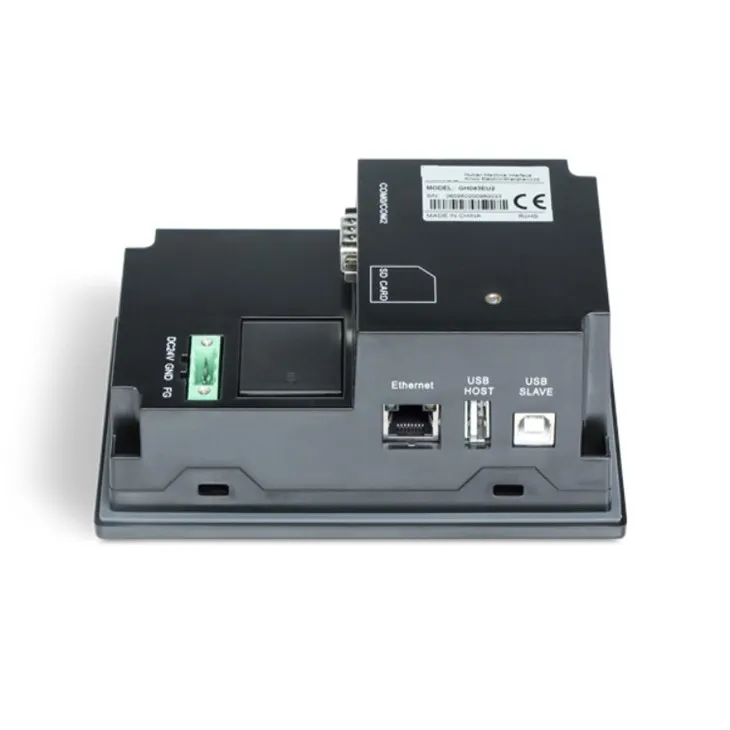
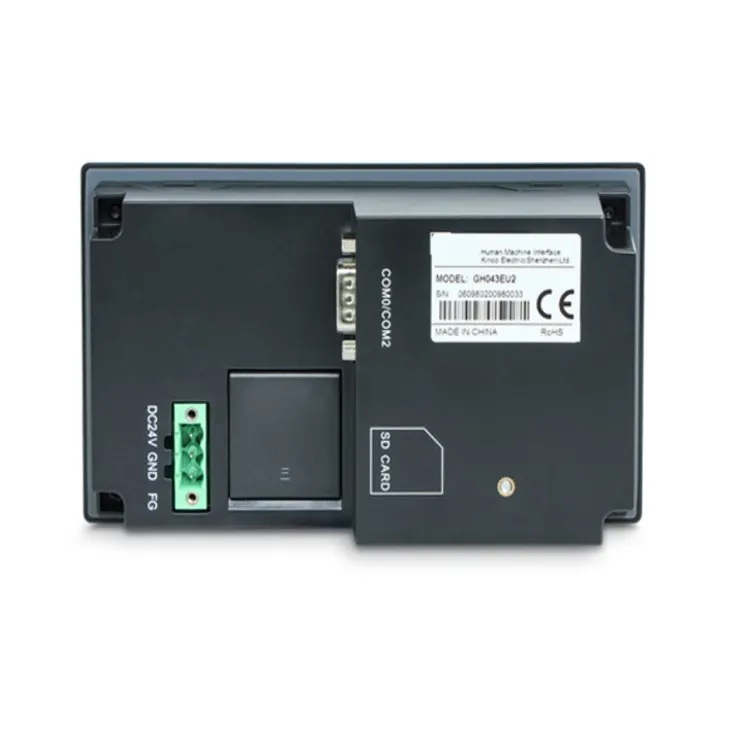
4.3-inch HMIs are compact and ideal for applications where space is limited. They are commonly used in small-scale industrial control systems, home automation, and portable devices. Despite their small size, 4.3-inch HMIs can still provide a sufficient amount of screen space for basic monitoring and control functions.
7 Inch HMI
7-inch HMIs offer a good balance between size and functionality. They are suitable for a wide range of applications, including industrial automation, building automation, and transportation. With a larger screen than 4.3-inch HMIs, 7-inch HMIs can display more information and provide a better user experience.
15.6 Inch HMI
15.6-inch HMIs are large and powerful, making them ideal for applications that require detailed information display and complex control. They are commonly used in large-scale industrial control systems, process automation, and energy management. With a high-resolution screen and a large amount of screen space, 15.6-inch HMIs can provide a comprehensive view of the system and allow for easy interaction.
Conducting a Pilot Test
Before making a final decision on the HMI size, it's a good idea to conduct a pilot test. This involves installing a few different HMI sizes in the actual application environment and allowing users to interact with them for a period of time. During the pilot test, gather feedback from users on the usability, readability, and overall user experience of each HMI size. This feedback can help you make an informed decision and choose the optimal HMI size for your application.
Conclusion
Determining the optimal HMI size for a specific application requires careful consideration of the application requirements, available space, user experience, and different HMI sizes. By following the steps outlined in this blog post, you can make an informed decision and choose an HMI that meets your needs and provides a positive user experience.
If you're still unsure which HMI size is right for your application, or if you have any other questions about our HMI products, please don't hesitate to contact us. Our team of experts is here to help you find the perfect HMI solution for your specific needs. We look forward to working with you and helping you achieve your goals.
References
- Norman, D. A. (2013). The Design of Everyday Things. Basic Books.
- Nielsen, J. (1993). Usability Engineering. Morgan Kaufmann.
- Schneiderman, B., Plaisant, C., Cohen, M., Jacobs, S., Elmqvist, N., & Diakopoulos, N. (2016). Designing the User Interface: Strategies for Effective Human-Computer Interaction. Pearson.