
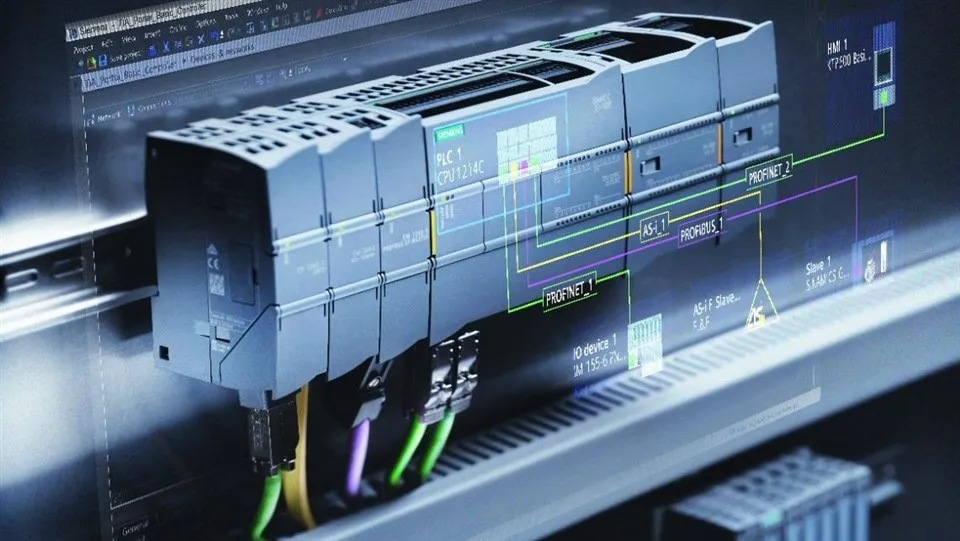
In the field of industrial automation, Siemens Programmable Logic Controllers (PLCs) play a crucial role in controlling and monitoring various processes. As a Siemens PLC supplier, I understand the significance of tracking changes in PLC programs. Version control systems (VCS) offer a robust solution to manage these changes effectively, ensuring the reliability, safety, and efficiency of automation systems. In this blog post, I will share some practical ways to track the changes of Siemens PLC programs in a version control system.
Understanding the Importance of Tracking PLC Program Changes
Before delving into the methods of tracking changes, it's essential to understand why it is so important. PLC programs are the brain of industrial automation systems, and any change in these programs can have a significant impact on the overall operation. By tracking changes, we can easily identify who made the changes, when they were made, and why. It helps in debugging, auditing, and maintaining the integrity of the programs.
Choosing the Right Version Control System
The first step in tracking changes in Siemens PLC programs is to choose the right version control system. There are several options available, such as Git, SVN (Subversion), and Team Foundation Server (TFS). Each has its own features and benefits, but Git is widely recognized as the most popular due to its distributed nature, flexibility, and strong community support.
Exporting PLC Programs from Siemens Software
Siemens provides powerful software tools like TIA Portal for programming and configuring PLCs. To track changes in a VCS, we need to export the PLC programs from these software tools. Most Siemens software allows you to export programs in text - based formats, which are more suitable for version control. For example, in TIA Portal, you can export the program as a structured text file or a text - based XML file.
Using Git for Version Control
Let's take Git as an example to illustrate how to track changes in Siemens PLC programs.
Initial Setup
First, install Git on your development machine. Then, create a new Git repository. You can do this by navigating to the directory where you exported the PLC program files in the command line and running the following command:
git init
Adding and Committing Changes
Once you have a Git repository set up, you can start adding the PLC program files to the repository. Use the following command to add all the files in the current directory:
git add.
After adding the files, you need to commit the changes with a meaningful message. The commit message should describe what changes were made and why. For example:
git commit -m "Updated ladder logic for [Siemens PLC S7 1500](/plc/siemens-plc/siemens-plc-s7-1500.html) to improve motor control"
Branching and Merging
Git allows you to create branches, which are like independent lines of development. For example, you can create a new branch to work on a new feature or fix a bug without affecting the main codebase. To create a new branch, use the following command:
git branch new - feature
To switch to the new branch:
git checkout new - feature
After you have completed working on the new feature, you can merge the changes back into the main branch:
git checkout main
git merge new - feature
Tracking Changes in Different Siemens PLC Models
Siemens PLC S7 200
The Siemens PLC S7 200 is a compact and cost - effective PLC widely used in small - scale automation projects. When tracking changes in S7 200 programs, the process is similar to other models. However, the programming software and the way of exporting programs may differ slightly. You can use Step 7 - Micro/WIN programming software to export the program in a suitable text - based format and then follow the Git workflow to track changes.
Siemens PLC S7 1200
The S7 1200 series is known for its scalability and ease of use. With TIA Portal, you can easily export the S7 1200 programs in text - based formats such as Structured Text. This makes it convenient to track changes in a version control system like Git. You can also take advantage of the difference viewing capabilities in Git to understand the exact changes made in the program.
Siemens PLC S7 1500
Siemens PLC S7 1500 is a high - performance PLC suitable for complex automation tasks. The programs for S7 1500 are developed in TIA Portal too. By exporting the programs as text - based files and integrating them into a version control system, you can ensure that all changes are properly recorded and managed, especially in large - scale projects where multiple developers may be involved.
Collaborating with a Team
In a real - world scenario, multiple engineers or technicians may work on the same Siemens PLC project. A version control system facilitates seamless collaboration. For example, with Git, team members can pull the latest changes from the remote repository, work on their local branches, and then push their changes back. Before pushing, it's important to pull the latest changes from the remote repository and resolve any conflicts that may arise.
Troubleshooting and Debugging with Version Control
Version control systems can be extremely helpful in troubleshooting and debugging. If a problem occurs in the PLC program, you can use the Git log to view the history of changes. You can also use the git bisect command to perform a binary search through the commit history to find the exact commit that introduced the bug.
Conclusion
Tracking the changes of Siemens PLC programs in a version control system is essential for maintaining the quality and reliability of industrial automation systems. By choosing the right version control system, exporting programs in suitable formats, and following best - practice workflows, we can effectively manage changes, collaborate with teams, and troubleshoot issues.
As a Siemens PLC supplier, I am committed to providing high - quality PLC products and solutions to my customers. Whether you are working on a small - scale project with Siemens PLC S7 200 or a large - scale complex automation system with Siemens PLC S7 1500, I can offer tailored advice and support on PLC program management and version control. If you are interested in purchasing Siemens PLCs or need further assistance in tracking changes in PLC programs, please contact me for a detailed discussion.
References
- Git documentation: https://git - scm.com/doc
- Siemens TIA Portal user manual
- Online resources on industrial automation and PLC programming