
Hey there! As a Siemens PLC supplier, I've had my fair share of experiences with Siemens PLC programming software. One of the most powerful aspects of this software is its library functions. In this blog, I'll share with you how to use these library functions effectively.
What are Library Functions in Siemens PLC Programming Software?
First off, let's talk about what library functions are. In Siemens PLC programming software, library functions are pre - written blocks of code that perform specific tasks. They're like little helpers that you can use in your programs without having to write the code from scratch every time. These functions can save you a ton of time and effort, especially when dealing with common tasks like data handling, communication, and motion control.
Finding Library Functions
The first step in using library functions is finding them. In Siemens PLC programming software, there are a few ways to do this. Usually, there's a dedicated library section in the software. You can access it through the main menu. Once you're in the library, you'll see different categories of functions. For example, there might be functions for logic operations, arithmetic operations, and communication.
Let's say you're working on a project that involves data logging. You can look for functions related to data storage and retrieval in the library. It's like going to a big toolbox and picking out the right tool for the job.
Adding Library Functions to Your Program
Once you've found the library function you need, it's time to add it to your program. This is usually a pretty straightforward process. In most cases, you can simply drag and drop the function from the library into your program workspace.
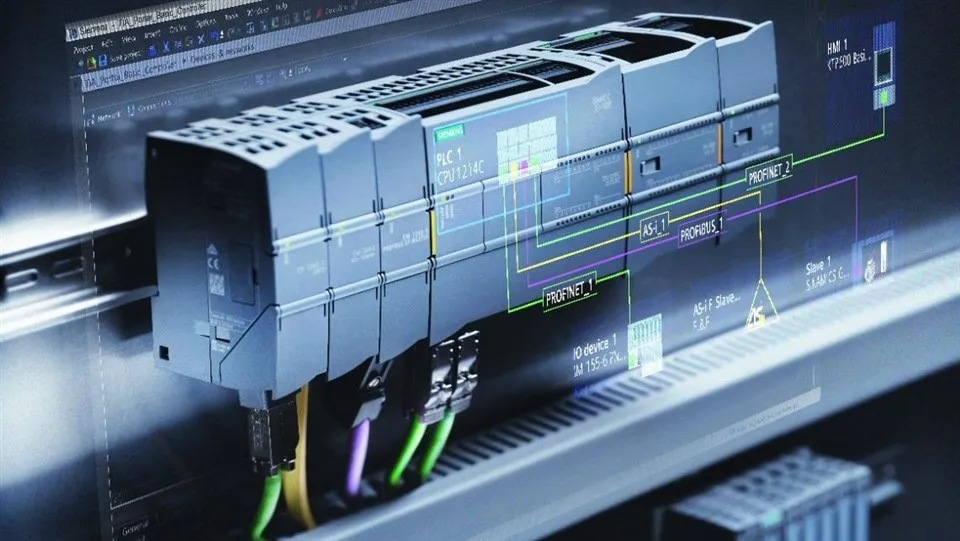
After you've added the function, you'll need to configure it. This means setting the input and output parameters according to your project requirements. For instance, if you're using a function for analog input processing, you'll need to specify the input address where the analog signal is coming from and the output address where you want the processed data to go.
Understanding the Parameters
The parameters of a library function are crucial. They define how the function behaves. Some parameters are mandatory, which means you have to set them for the function to work properly. Others are optional, and you can leave them at their default values if they're not relevant to your project.
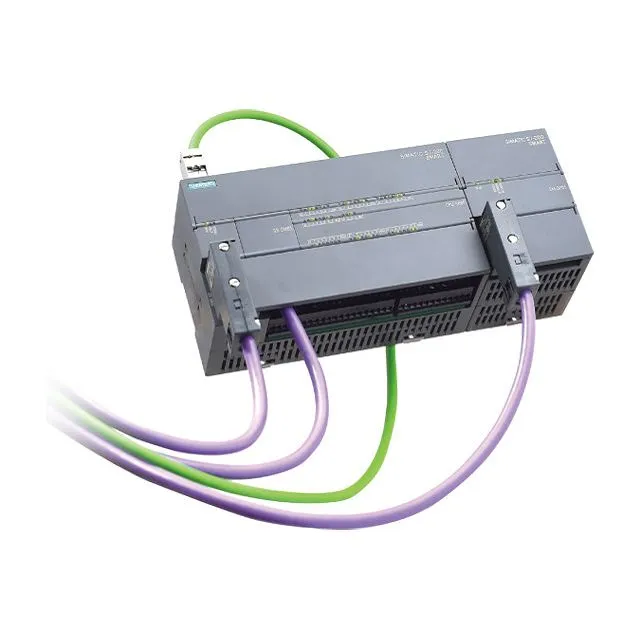
Let's take a look at an example using Siemens PLC S7 200. Suppose you're using a communication function to send data over a serial port. The function might have parameters like the baud rate, parity, and data length. You need to set these parameters correctly based on the communication requirements of your system. If you set the baud rate incorrectly, the data transfer might be unreliable or not work at all.
Testing and Debugging
After you've added and configured the library function in your program, it's time to test it. You can use the simulation feature in the Siemens PLC programming software to test the function without having to connect to the actual PLC hardware. This allows you to catch any errors or issues early on.
If you encounter problems during testing, you'll need to debug the function. Check the parameter settings first. Make sure all the input and output addresses are correct. Also, look at the status information provided by the function. Many library functions have built - in diagnostic features that can give you clues about what's going wrong.
Using Library Functions in Different Siemens PLC Models
Siemens offers different PLC models, such as Siemens PLC S7 200, Siemens PLC S7 1200, and Siemens PLC S7 1500. While the basic concept of using library functions is the same across these models, there might be some differences in the available functions and how they're implemented.
For example, the S7 1500 is a more advanced model and might have more sophisticated library functions for high - speed processing and complex automation tasks. On the other hand, the S7 200 is a more compact and cost - effective option, and its library functions are designed to meet the needs of smaller projects.
When using library functions in different models, it's important to refer to the specific documentation for each model. The documentation will tell you which functions are available, how to use them, and any model - specific considerations.
Creating Your Own Library Functions
In some cases, you might find that the existing library functions don't fully meet your project requirements. That's when you can create your own library functions. This is a more advanced topic, but it can be very useful.
To create your own library function, you'll need to have a good understanding of the programming language used in the Siemens PLC software. You'll write the code for the function and then package it into a library block. Once you've created your custom function, you can use it in your projects just like the built - in library functions.
Tips for Using Library Functions Effectively
- Keep it organized: As your project grows, you might end up using a lot of library functions. It's a good idea to keep your program organized by using proper naming conventions for the functions and their parameters. This will make it easier to understand and maintain your program in the long run.
- Test thoroughly: Don't assume that a library function will work perfectly right away. Always test it in a simulation environment first and then on a test PLC if possible. This will help you catch any issues before deploying the program to the actual production system.
- Stay updated: Siemens regularly updates its PLC programming software and the library functions. Make sure you're using the latest version to take advantage of the new features and bug fixes.
Conclusion
Using library functions in Siemens PLC programming software is a great way to save time and improve the efficiency of your projects. Whether you're a beginner or an experienced programmer, these functions can make your life a lot easier.
If you're interested in purchasing Siemens PLCs or need more information about using the programming software and library functions, feel free to reach out. We're here to help you with all your Siemens PLC needs. Whether it's choosing the right model, understanding the library functions, or troubleshooting a problem, we've got the expertise to assist you.
References
- Siemens PLC Programming Manuals
- Online forums and communities dedicated to Siemens PLC programming